The tool
Checklists for the start and end of every shift
Your routines ticked off on the spot, as the shift goes.
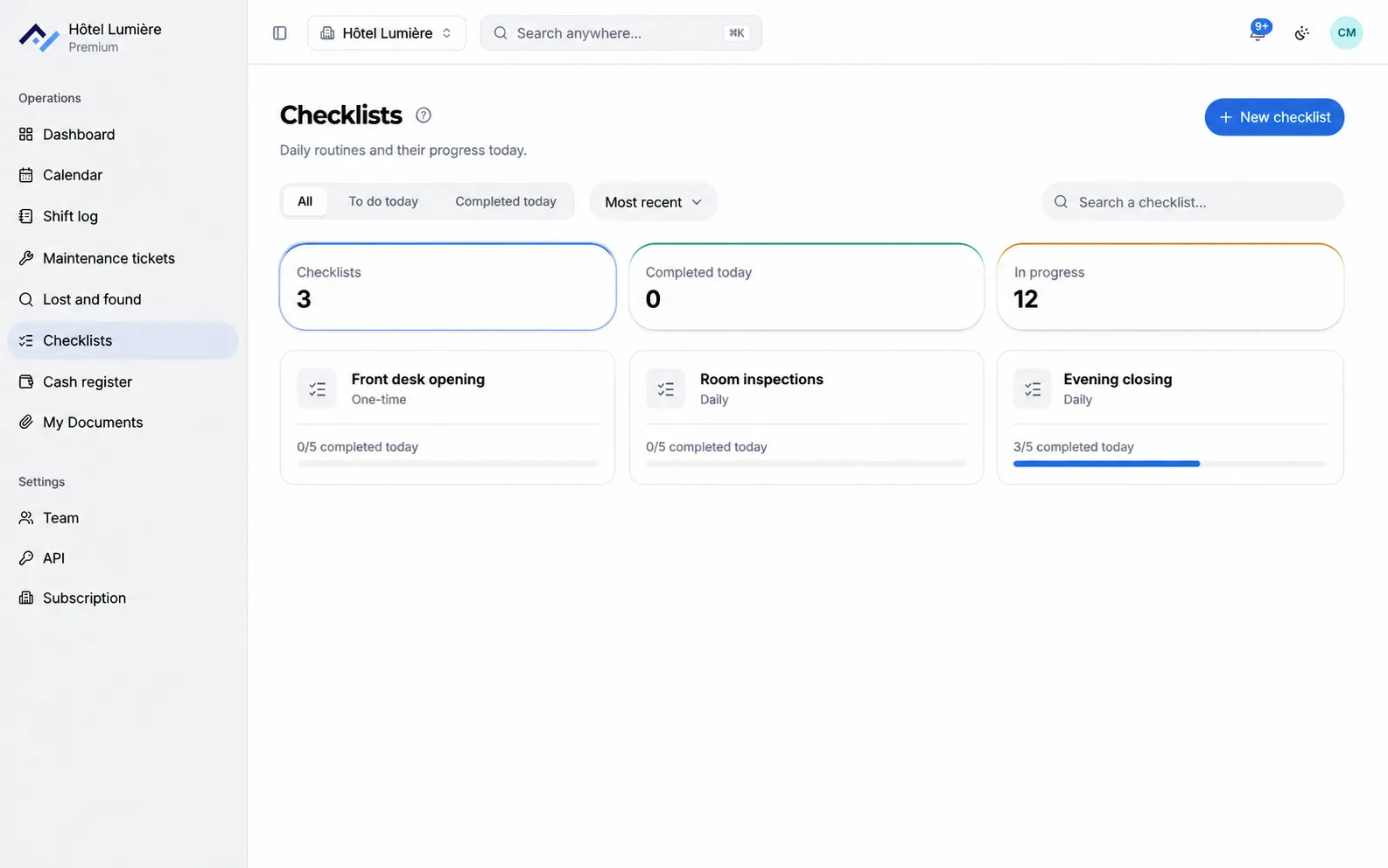
Opening the front desk, closing for the night, checking a serviced room: each list has its tasks, each ticked task is dated and signed, and the day’s progress is visible at a glance.
6-month free trial with no card required, on every tool. After that, you only pay for the ones you keep, starting at €26 excl. VAT/month with annual billing. See pricing.
What the tool does
No more laminated sheets ticked off in pencil. Your procedures keep pace with every shift, on computer as on phone.
Your lists, in the order of the shift
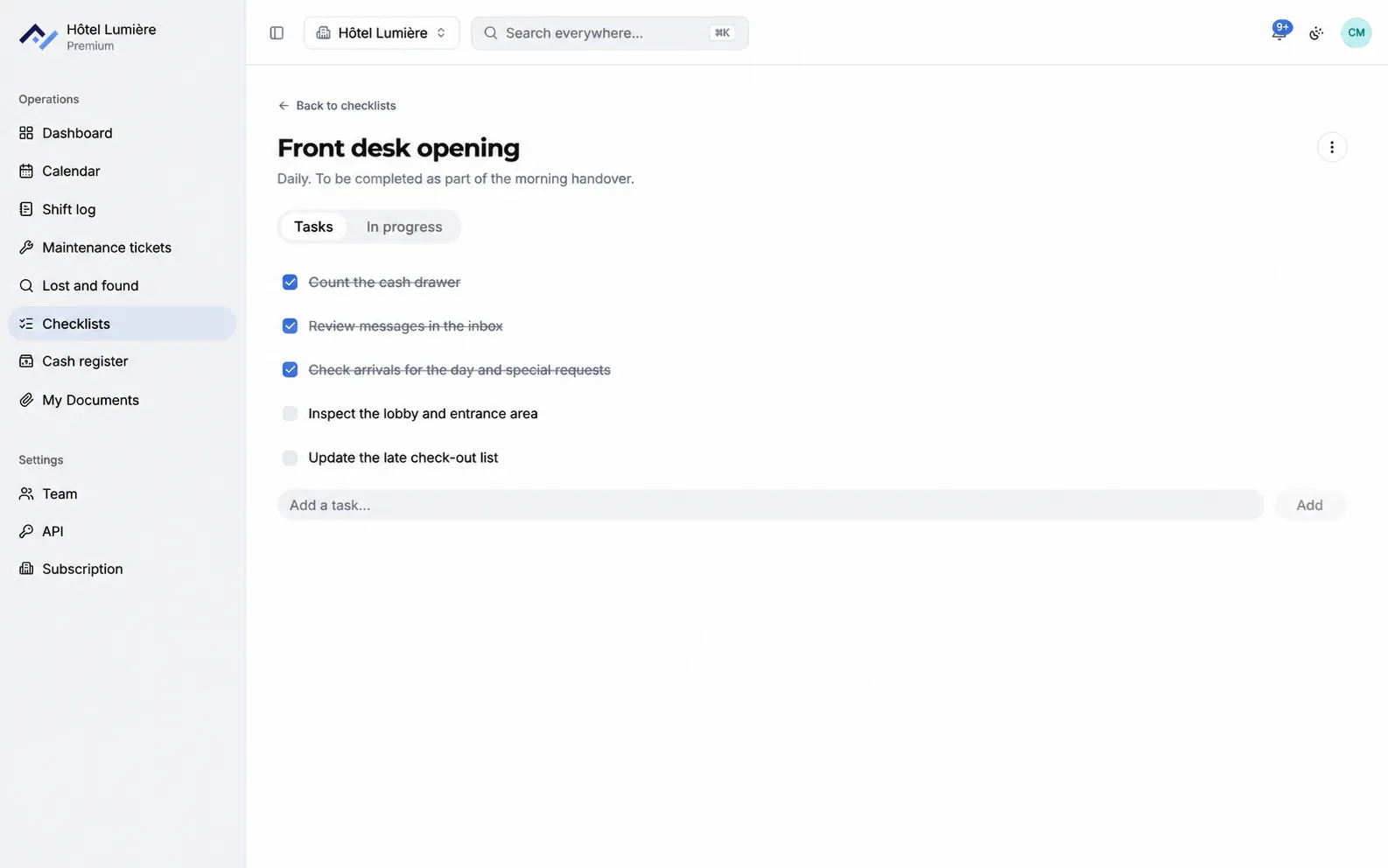
Each list holds its tasks, arranged in the order you do them. Adding one takes a single line.
Ticked off on the spot, under a name
A ticked task carries the person’s name and the time. You know what’s been done, and by whom.
Routines reset themselves
A daily checklist starts fresh every day. The ones only needed occasionally stay one-off.
The day’s progress
Each list shows where it stands, and the screen counts the tasks still pending across the whole property.
One list per team
A checklist can be followed only by the people concerned: the night routine doesn’t clutter housekeeping’s.
History and tracking
Know who did what, and when. Past days stay available to view, yesterday as well as last month.
Add checklists to your subscription
You choose your tools and only pay for those. The shared calendar and your documents are included free with any subscription.
- All tools for the 6-month free trial, no credit card required.
- As many lists and tasks as your property needs.
- One account per person, with no effect on the price.
- The complete history of past days.
Questions about checklists
Can each department have its own checklist?
Yes, as many lists as there are routines: opening the front desk, closing for the night, checking a serviced room, resetting a meeting room. Each one has its own tasks, in the order you do them.
What happens to a checklist once the day is over?
A daily list starts fresh the next day, and the day that’s gone stays available to view: you can see what was ticked off, by whom, and at what time.
Do lists that come back every week need to be recreated?
No. A checklist can be daily or one-off: the one that recurs is set up once and comes back on its own, and the one only needed for a single occasion stays available without cluttering the day.
Can tasks be ticked off from a phone?
Yes, checklists open in the browser and on the Android and iPhone apps. A housekeeper can tick off her tasks right there in the room.
Your procedures, ready for tomorrow’s shift
Create your property, bring in your existing lists, and the morning team runs through them from tomorrow. 6-month free trial, no credit card required.