The tool
Your hotel’s maintenance software
An issue reported in two taps, assigned to someone, and tracked through to closing.
The front desk reports it, maintenance takes it on, and the whole team can see where the repair stands and whether the room can go back on sale.
6-month free trial with no card required, on every tool. After that, you only pay for the ones you keep, starting at €26 excl. VAT/month with annual billing. See pricing.
What the tool does
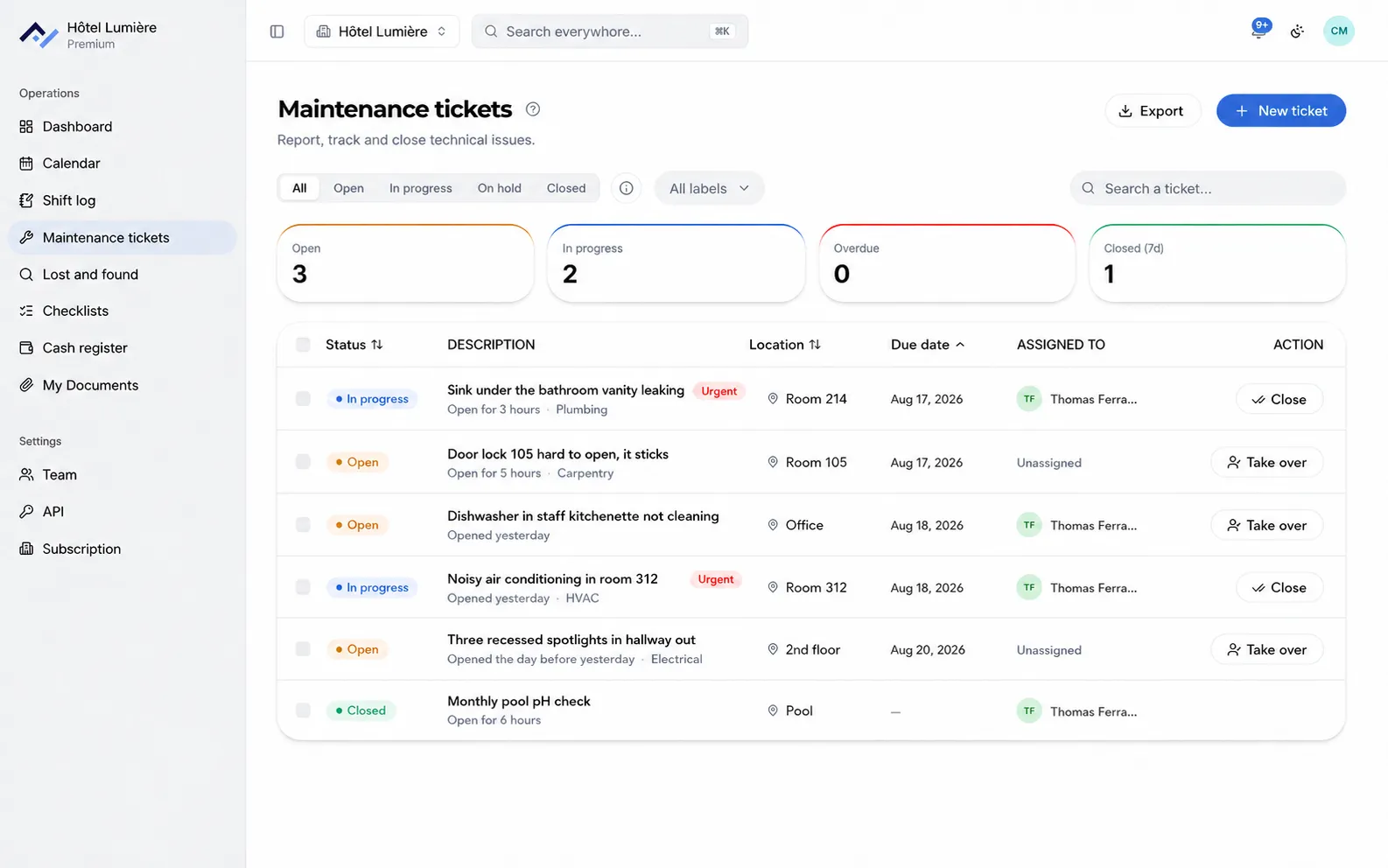
No more issues passed on by word of mouth and back-and-forth phone calls. Everything is reported and tracked in one place, from the front desk or from a hallway.
Report with a photo and the location
A description, a photo, the room or area involved, and a normal or high priority. The report starts right where the problem is spotted.
Assign the ticket to someone
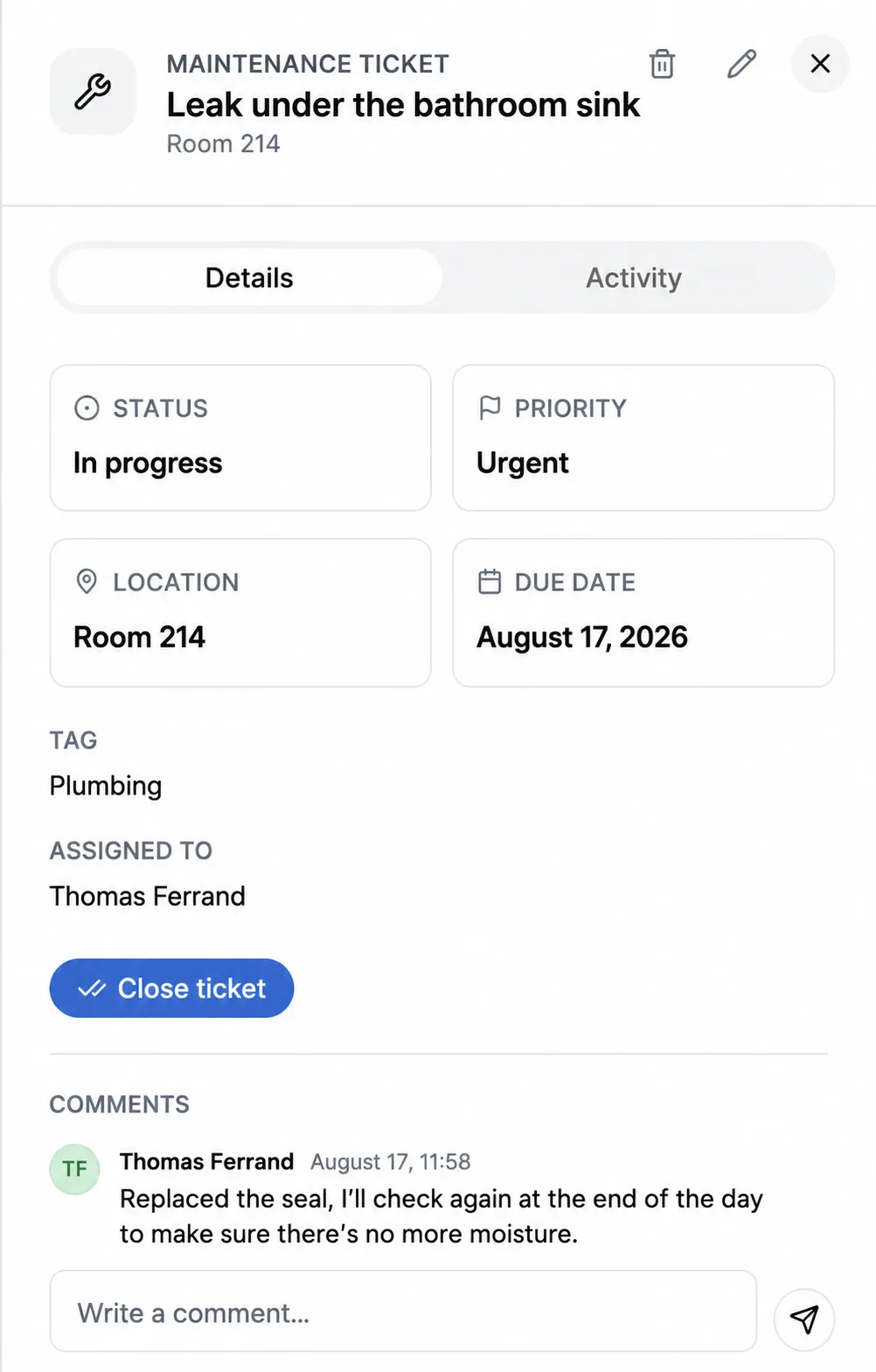
The ticket is assigned to a person, who is notified. They take it on with one tap, and the screen shows who’s handling it.
Set a due date, see the delays
A due date per ticket, and a counter of overdue repairs at the top of the screen.
Sort by type of repair
Free-form tags created by the team: plumbing, electrics, locksmithing, air conditioning. They’re used to filter the list and see what keeps coming up.
Discuss right on the ticket
Comments stay attached to the repair, with the name and time. Nothing gets lost in a separate conversation.
History and tracking
Know who did what, and when. Closing a ticket carries a name, the history stays available to view, and the list can be exported.
Add maintenance tickets to your subscription
You choose your tools and only pay for those. The shared calendar and your documents are included free with any subscription.
- All tools for the 6-month free trial, no credit card required.
- One account per person, with no effect on the price.
- The Android and iPhone apps, to report issues right from a hallway.
- The complete repair history, and search across all your tools.
Questions about maintenance tracking
Who is notified when a ticket is created?
The person the ticket is assigned to gets a notification on their phone and in their browser. The rest of the team sees the ticket in the list without being disturbed, and everyone sets what they want to receive, tool by tool.
How do you see what’s overdue?
Every ticket can carry a due date. The screen always shows the number of tickets pending, in progress, overdue, and closed over the last seven days.
Does the technician need their own account?
Yes, and that’s the point: every repair carries the name of the person who took it on and the person who closed it. The number of accounts is unlimited on every plan, so there’s no reason to share a login.
Can the list of repairs be exported?
Yes, the screen offers an export of the list, with dates, people and statuses.
Your repairs tracked from today
Create your property, invite your maintenance team, and the first ticket goes out right away. 6-month free trial, no credit card required.