The tool
Your hotel’s procedures and documents
The front-desk binder, open from any workstation and any floor.
Procedures, floor plans, spec sheets, supplier contracts, and registers: sorted into folders, found through search, and readable from a phone.
Included with any subscription, whatever the number of tools you choose. See pricing.
What the tool does
No more binder behind the desk and a contract sitting in an inbox. Your documents live in one place, for the whole team.
Folders, like on a computer
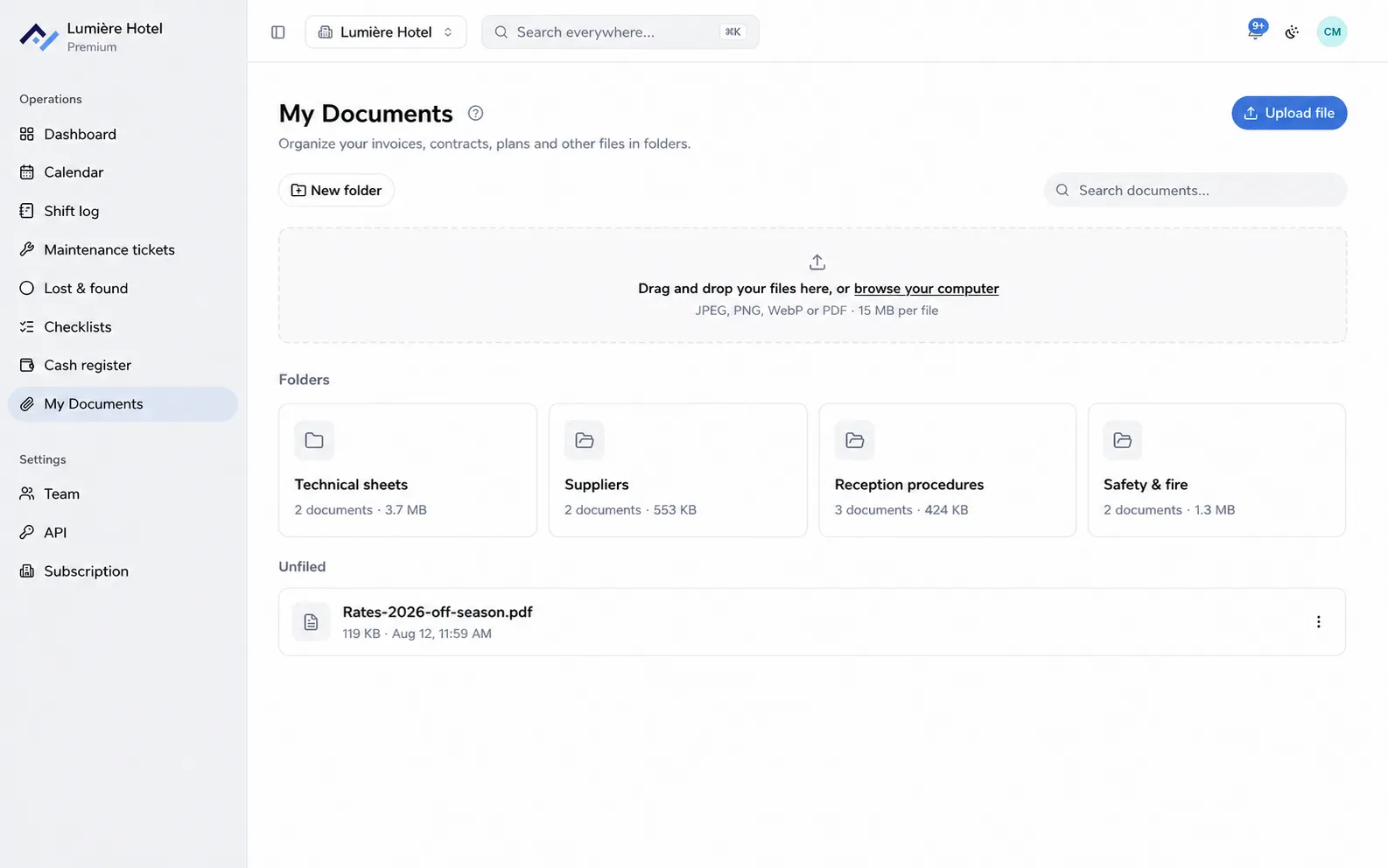
Front-desk procedures, spec sheets, safety, suppliers: each folder shows how many documents it holds and their total size.
Upload by drag and drop
Drop a file onto the page, or take a photo of it from your phone. JPEG, PNG, WebP, or PDF, up to 15 MB per file.
A search that reaches the document
By file name from the screen, or through the general search, which scans the shift log, tickets, and lost and found at the same time.
A time-limited share link
A document can be sent to a supplier through a link valid for seven days, without creating an account for them.
History and tracking
Every document carries the name of the person who uploaded it and the date. Correcting a procedure means replacing a file: only one version is ever in circulation.
Included with any subscription
My Documents isn’t an option to tick: it’s included with your subscription, even if you only open a single tool.
- Included from your first tool, at no extra cost.
- As many folders and documents as your property produces.
- One account per person, so every upload has a name attached.
- The Android and iPhone apps, to check a floor plan from a corridor.
Questions about documents
What files can you upload?
Photos and PDFs: JPEG, PNG, WebP, or PDF, up to 15 MB per file. That covers what a phone, a front-desk scanner, and documents sent by a supplier all produce.
Can you send a document to someone without an account?
Yes, a share link can be created from the document. It gives access to the file for seven days, and the app keeps a record of who created it and when.
Who can delete a document?
The person who uploaded it, and the property’s managers. Every upload and every deletion leaves a record of who did it.
Do documents show up in search?
Yes. The general search scans documents alongside the shift log, tickets, and lost and found: type "lift" and the contract comes up with the rest.
Your procedures within reach of the whole team
Create your property, upload your first folders, and your team can open them from any workstation. 6-month free trial, no card required.