The tool
Your hotel’s lost and found register
From the item picked up in a room to the guest who calls back three weeks later.
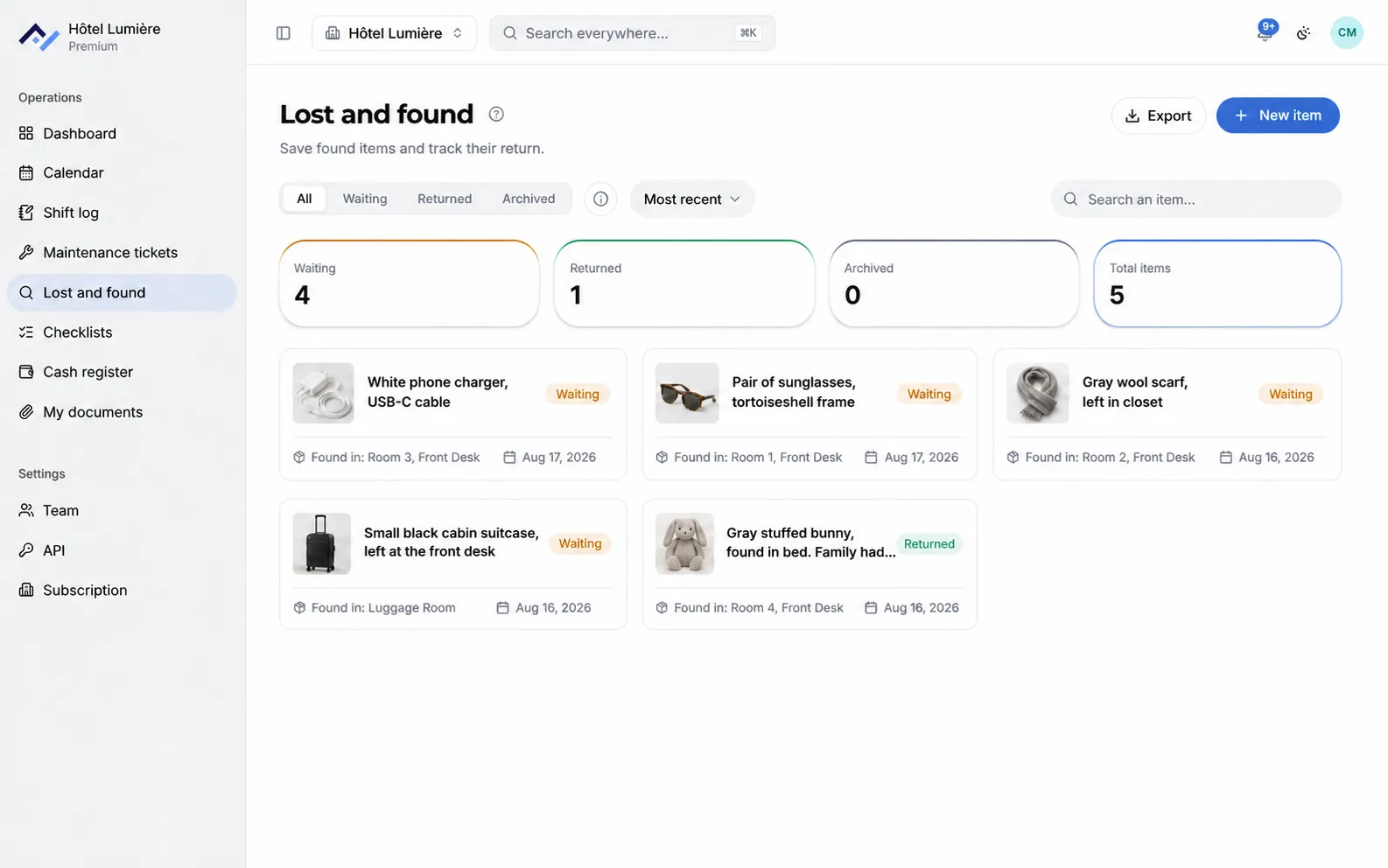
Every item is logged with its photo, where it was found, and the locker where it’s stored. You find it again in a few clicks, and returning it leaves a record.
6-month free trial with no card required, on every tool. After that, you only pay for the ones you keep, starting at €26 excl. VAT/month with annual billing. See pricing.
What the tool does
No more box behind the desk and a notebook updated when someone remembers. The register fills in right where the item is found.
Log it from the floor
The person who finds the item describes it, photographs it, and notes the room, from their phone. The front desk has nothing to re-enter.
Note where it’s stored
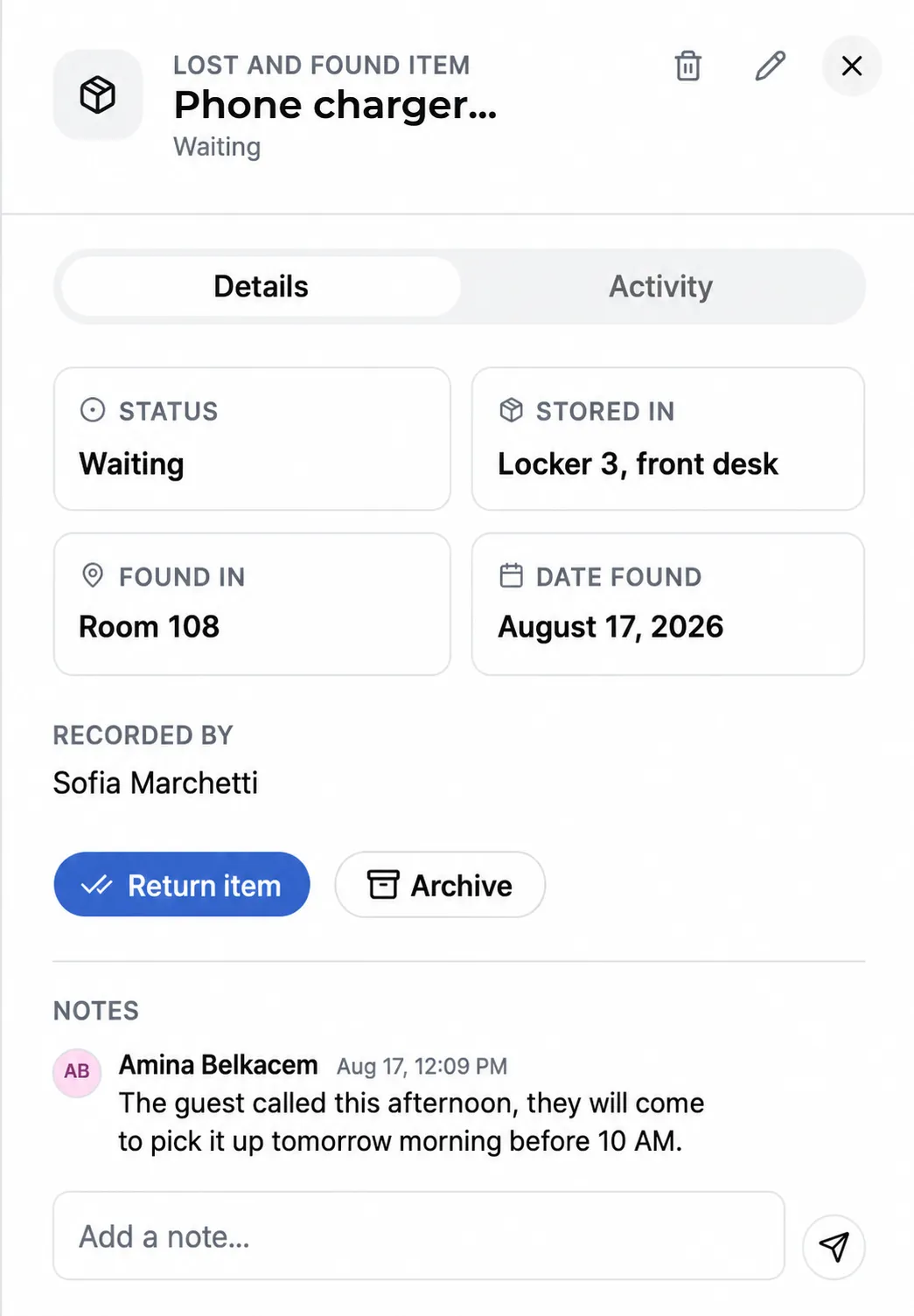
The locker, cupboard, or luggage room is noted on the item’s card. Whoever returns the item knows where to find it.
Keep the date it was found
The date the item was found travels with it, separate from the date it was logged. That’s what lets you match it to a stay.
Link a guest to the item
Once the owner is identified, their name is added to the card, and comments follow the case through to hand-over.
Track the three states
Pending, returned, archived. The counters at the top of the screen show the state of the register at a glance.
Search and export
A search by description, location, or guest, and an export of the list whenever it needs to be shared.
Add lost and found to your subscription
You choose your tools and only pay for those. The shared calendar and My Documents are included with any subscription.
- All tools during the 6-month free trial, no card required.
- One account per person, including housekeeping and laundry.
- The Android and iPhone apps, to log an item right where it’s found.
- The full register, kept and exportable.
Questions about lost and found
How do you find an item when the guest calls back?
Through a search by description, location, or guest name. You can see whether the item was logged, where it’s stored, and whether it’s already been returned, even if the person who found it isn’t on shift.
What happens once the item is returned?
The item moves to "returned" status and comes off the list of pending items, without disappearing from the register. The counts of pending, returned, and archived items stay visible at the top of the screen.
Can you prove an item was returned if there’s a dispute?
Every step carries a name and a time: logging the item, the comments, and the return. The register can be viewed and exported.
Can housekeeping log an item without going through the front desk?
Yes. The tool opens on the Android and iPhone apps as well as in the browser: the person who finds the item logs it from the corridor, with a photo and the room number, and the front desk sees it right away.
A register that answers for you
Create your property, invite your housekeeping team, and the register starts filling in today. 6-month free trial, no card required.