The tool
Your hotel’s staff handbook and procedures
What the team needs to know, written once, read and signed by everyone.
Step-by-step procedures, useful numbers, codes and equipment manuals live in pages the whole team finds in a few letters. For an important procedure, everyone signs to say they’ve read it.
Included with any subscription, whatever the number of tools you choose. See pricing.
What the tool does
No more procedures passed on by word of mouth and lost when someone leaves, or a Word file nobody opens. What the property knows stays in the property.
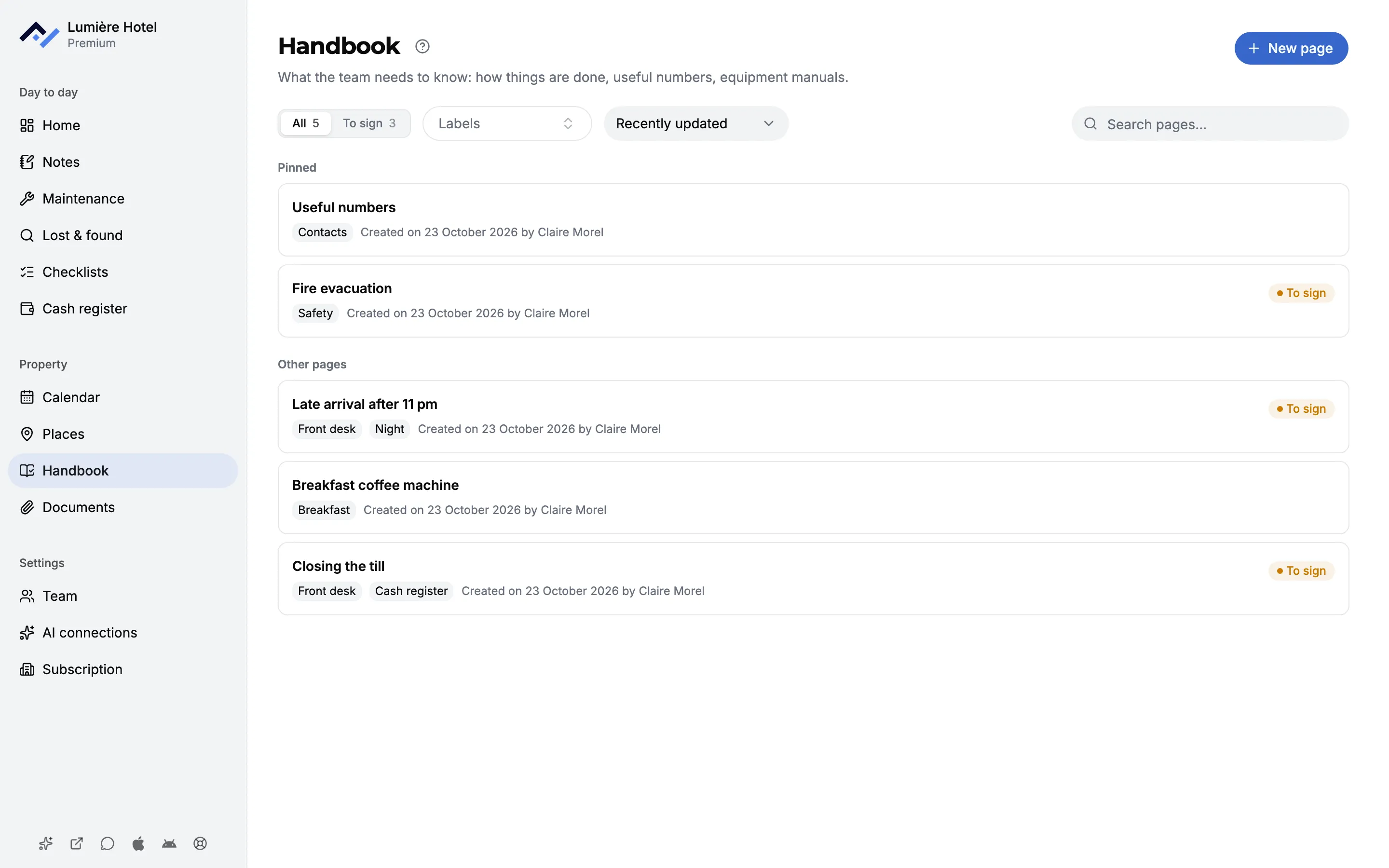
Pages for everything that gets passed on
Closing the till, the fire alarm, late arrivals, welcoming a new starter, codes and useful numbers. Pages are sorted with labels, and the most important ones stay pinned at the top.
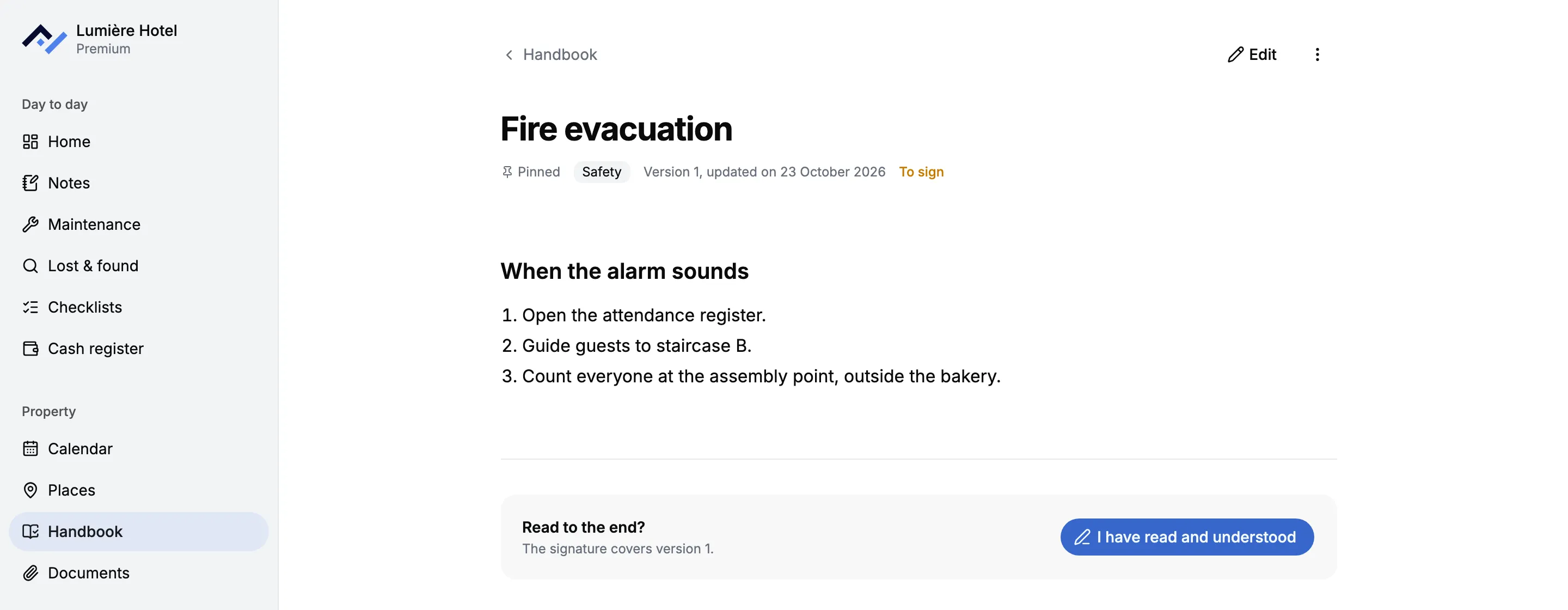
"I have read and understood"
When publishing, the author can ask the team to read and sign the page. The manager sees who has signed and who is missing, and everyone finds what they still have to read under "To sign".
A new version, signed again
When the steps change, the page moves to the next version and the whole team signs it again. A simple wording fix keeps the signatures.
A writing page that loses nothing
Headings, lists, tables, photos and attached files. Text pasted from Word or Google Docs keeps its formatting. Writing saves on its own, even offline, and stays a draft until it’s published.
A search that finds the word
In the title as well as the text, even typed without accents. Front Desk’s general search covers the pages too, along with shift notes and tickets.
A question under the page
A comment under a page notifies its author and the people mentioned. A page can be printed, saved as PDF or copied for ChatGPT or Claude.
Included with any subscription
The Handbook isn’t an option to tick: it’s included with your subscription, even if you only open a single tool.
- Included from your first tool, at no extra cost.
- As many pages as your property needs.
- One account per person, so every signature has a name attached.
- Your connected AI assistant searches and reads published pages.
Questions about the Handbook
What’s the difference with My Documents?
My Documents stores files as they arrive: a contract, a floor plan, a spec sheet as a PDF. The Handbook is written directly in Front Desk, searched word by word, and signed. A procedure goes in the Handbook, the supplier’s contract in My Documents.
Does every page have to be signed?
No, the signature is chosen page by page when publishing. You ask for it on the fire evacuation or closing the till, not on the list of useful numbers.
What happens when a procedure changes?
The author says whether it’s a wording fix or a change to the steps. A fix keeps the signatures. A change to the steps creates a new version, and the whole team signs it again. While it’s being edited, the team keeps reading the published version.
Who can write a page?
Anyone on the team can create one. Editing or deleting it is up to its author and the property’s managers, who are also the only ones who see the list of signatures.
Can we bring in a Word procedures binder?
Yes, by copy and paste: the text keeps its headings, lists and tables. Images from a Word document don’t come across with the paste, they’re added afterwards with the Photo button.
Is the Handbook in the iPhone and Android apps?
Not yet. It opens in the phone’s browser, with nothing to install, and the Photo button goes straight to the camera.
Floor plans and contracts to store as they are, as PDFs? See My Documents
The property’s procedures, read by the whole team
Create your property, write or paste your first procedures, and ask the team to sign them. 6-month free trial, no card required.